Every machine on one screen.
A tiling TUI. KVM + ZFS, with just enough window manager. A workstation and a hypervisor in one machine: your desktop, your machines, microVMs and containers, and a system that rolls back.
A serious hypervisor for demanding operators: fifteen native cloud images from nine distributions, a golden image factory whose clones start in seconds, and snapshots and rollback on every machine.
And a new way to use one. There is no web browser between you and your machines: you use them, as desktops, woven into the hypervisor itself, with no heavy desktop environment under them and nothing to patch. A pure, raw hypervisor you sit at.
01 · upgradesYou can't brick it with an upgradeEach release is a signed image, booted as a new environment beside the old one. If it doesn't come up healthy, the machine goes back by itself.
02 · goldensEvery clone is a new machineGoldens are sealed on every path, so each clone boots with its own identity and keys and none of the builder's logins. The cloud images are the vendors' own, and every app is checked until it answers.
03 · isolationEvery container in its own VMEach container and microVM runs in a Firecracker microVM of its own, jailed as its own user. A container that breaks out is still inside a VM, not on your host.
jewm: just enough window manager
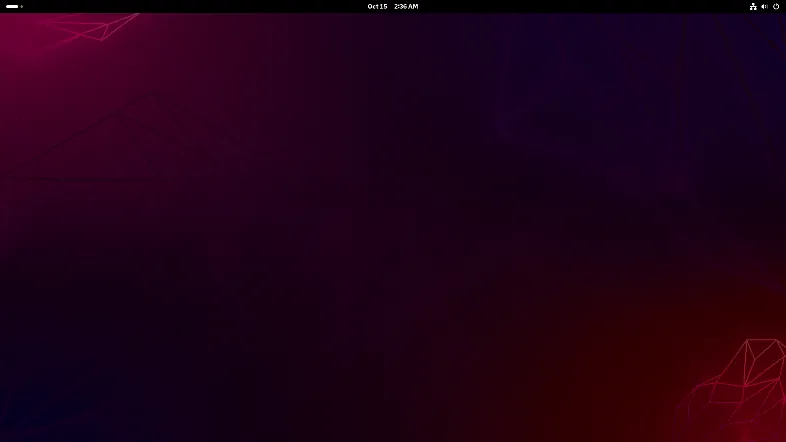
Our own Wayland compositor, written in Rust. It owns the screen from the moment the machine boots, draws its own bar, menus and windows, and puts your machines right behind your work. No X11, and the whole of it is one 20 MB program. Four desktops at once, each a machine of its own: Windows for one job, a Linux for the next, whatever system, tool or app does it best.

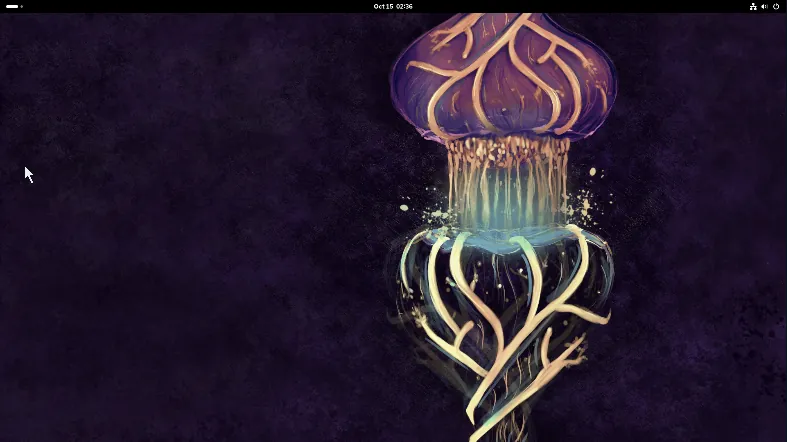
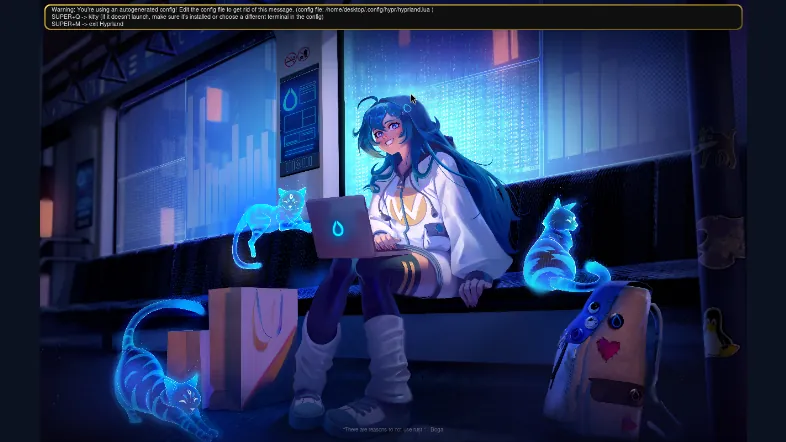
Fly through your machines
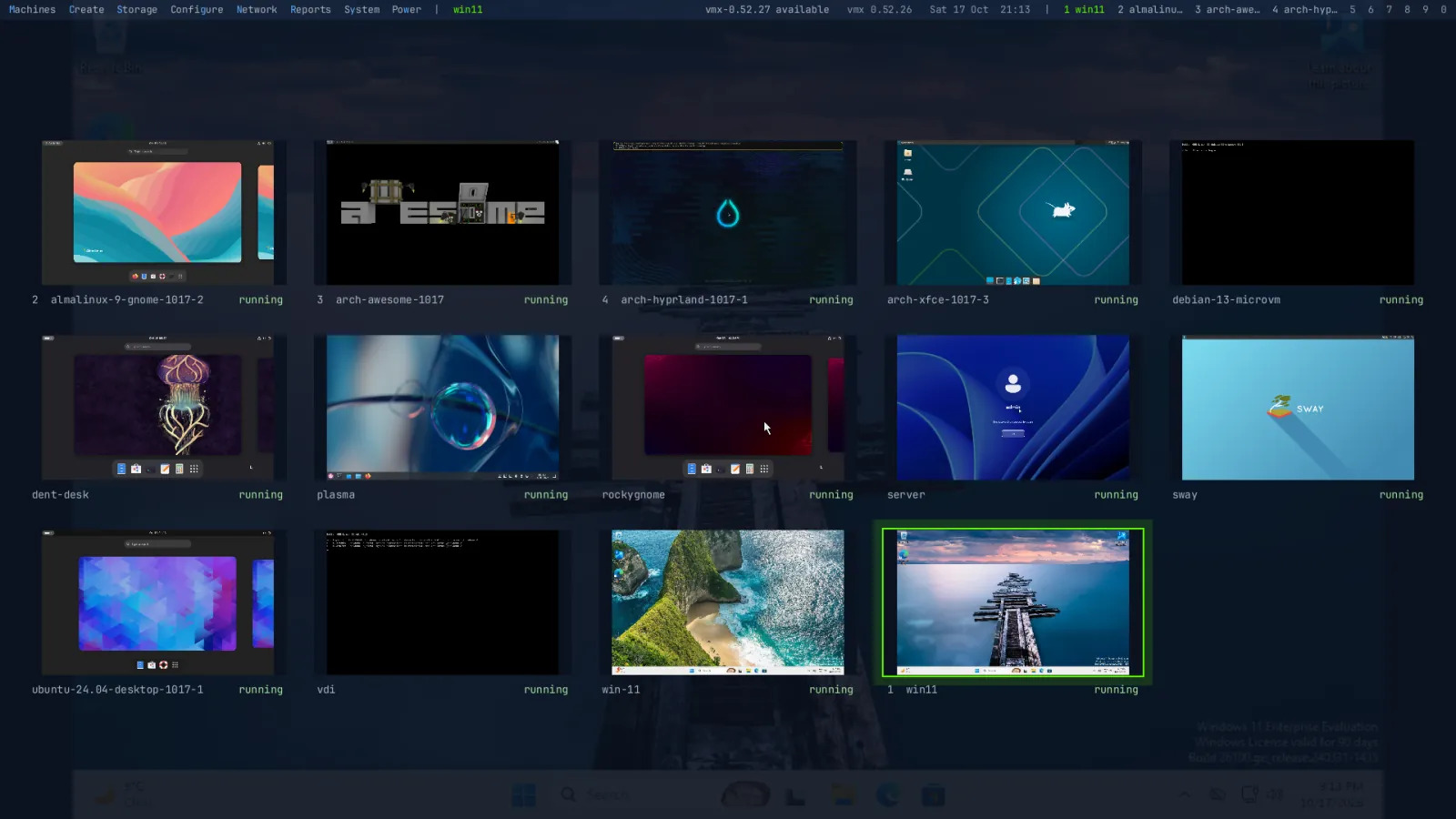
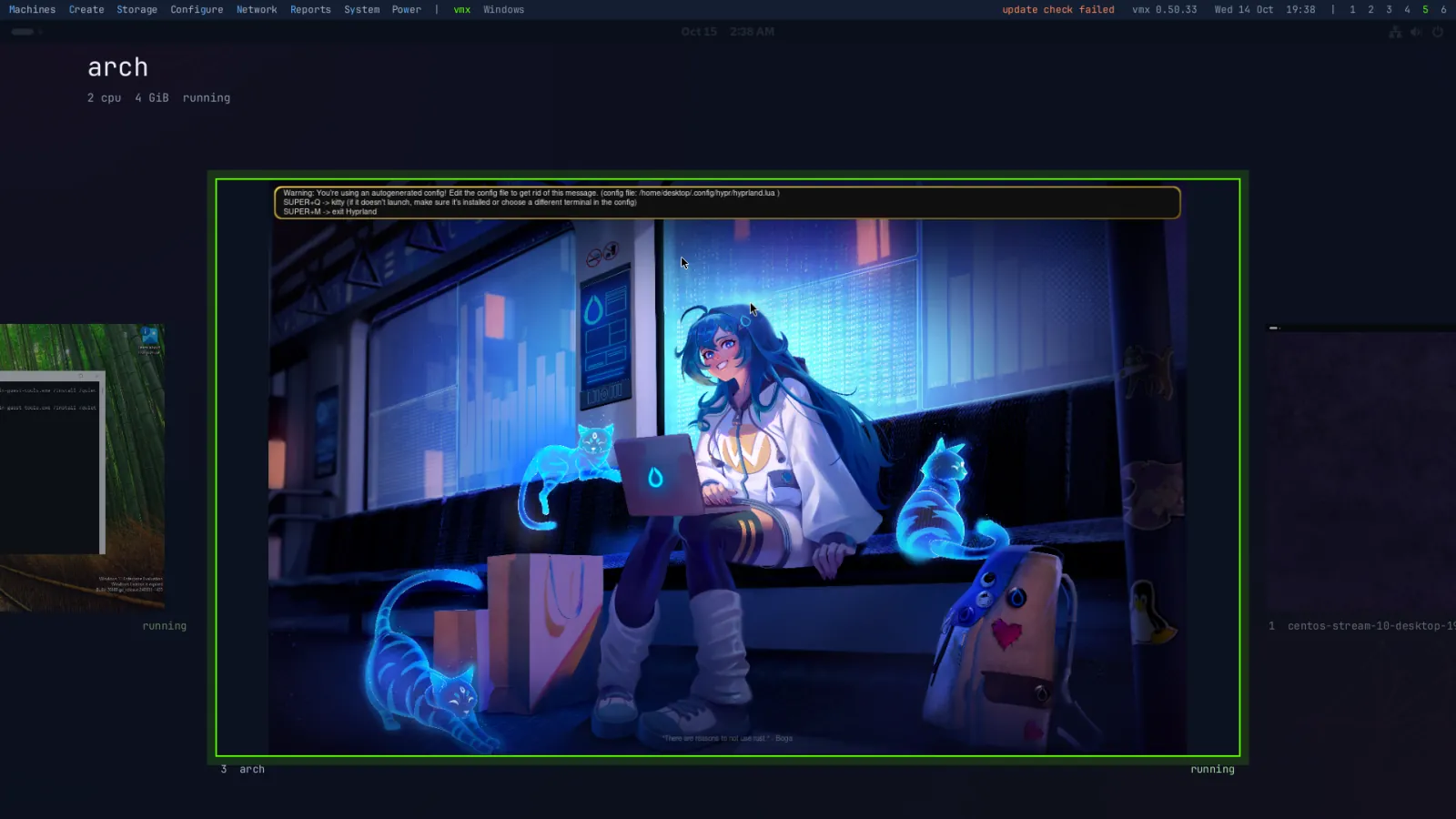
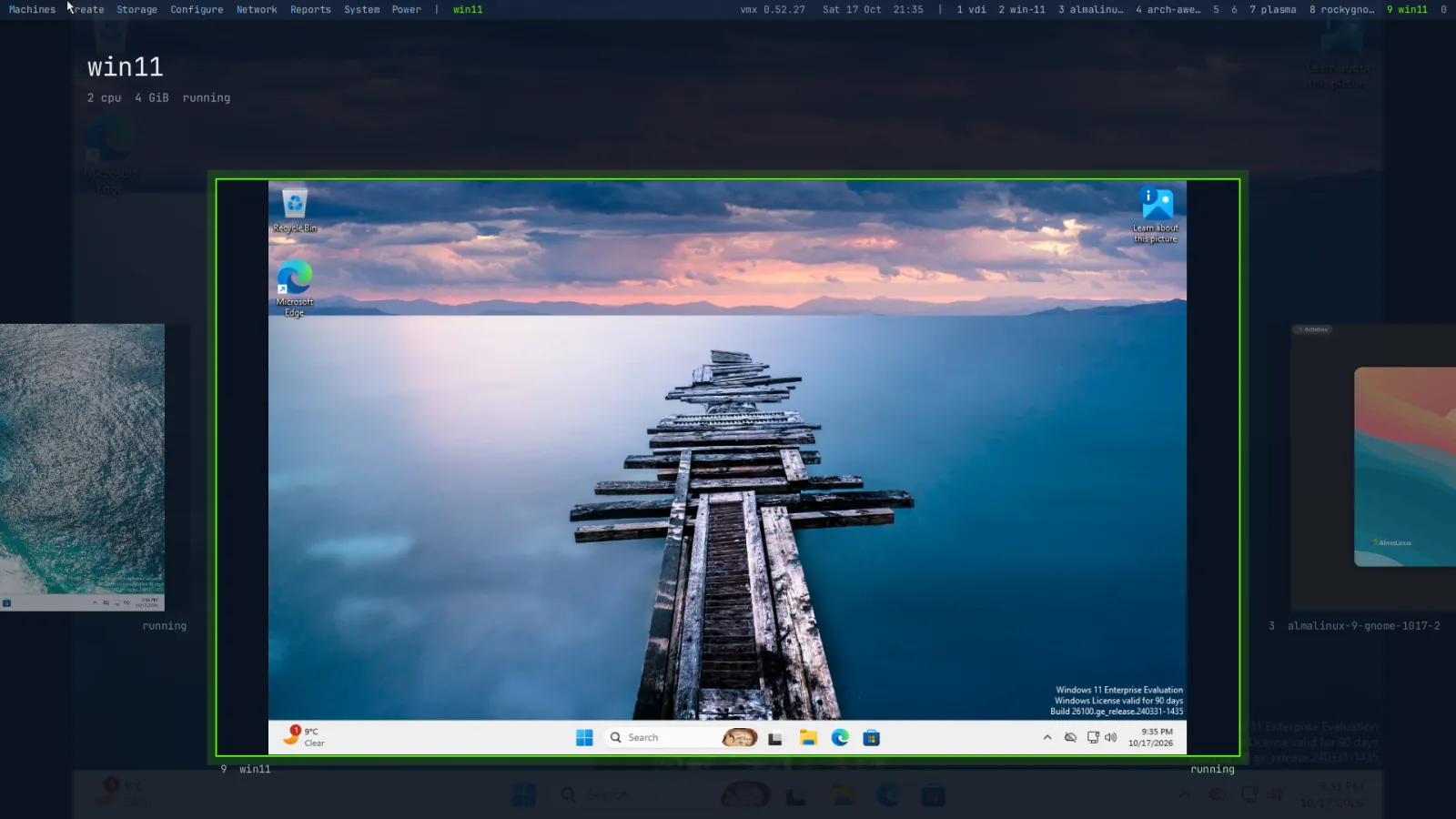
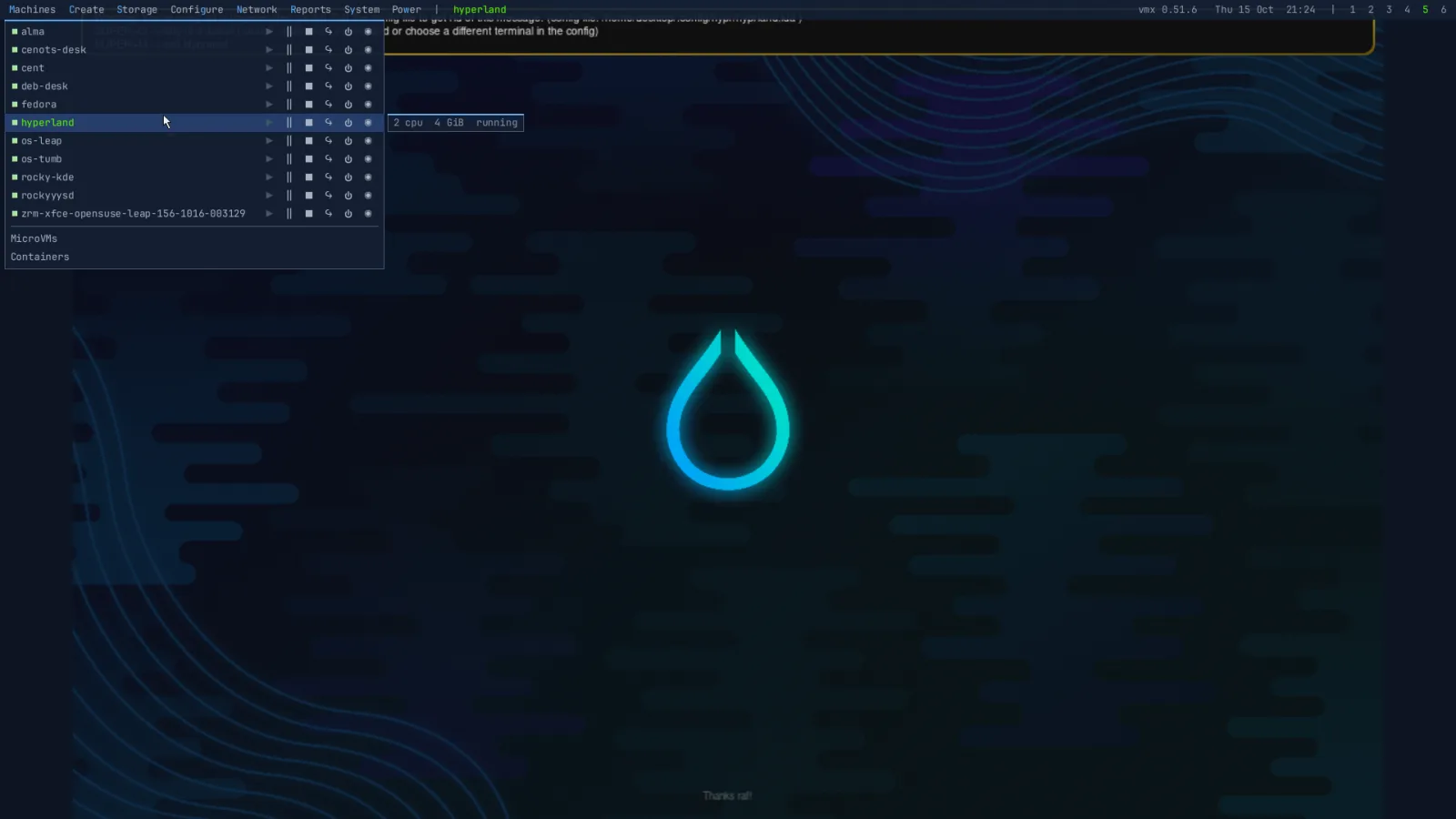
Tap Super and every machine is a card with its name, CPUs, memory, state and its screen, live. Fly through them, switch to the wall to see every screen at once, and press Enter to go in, starting it if it's stopped. This website flies the way the desktop does.

See every change before it runs
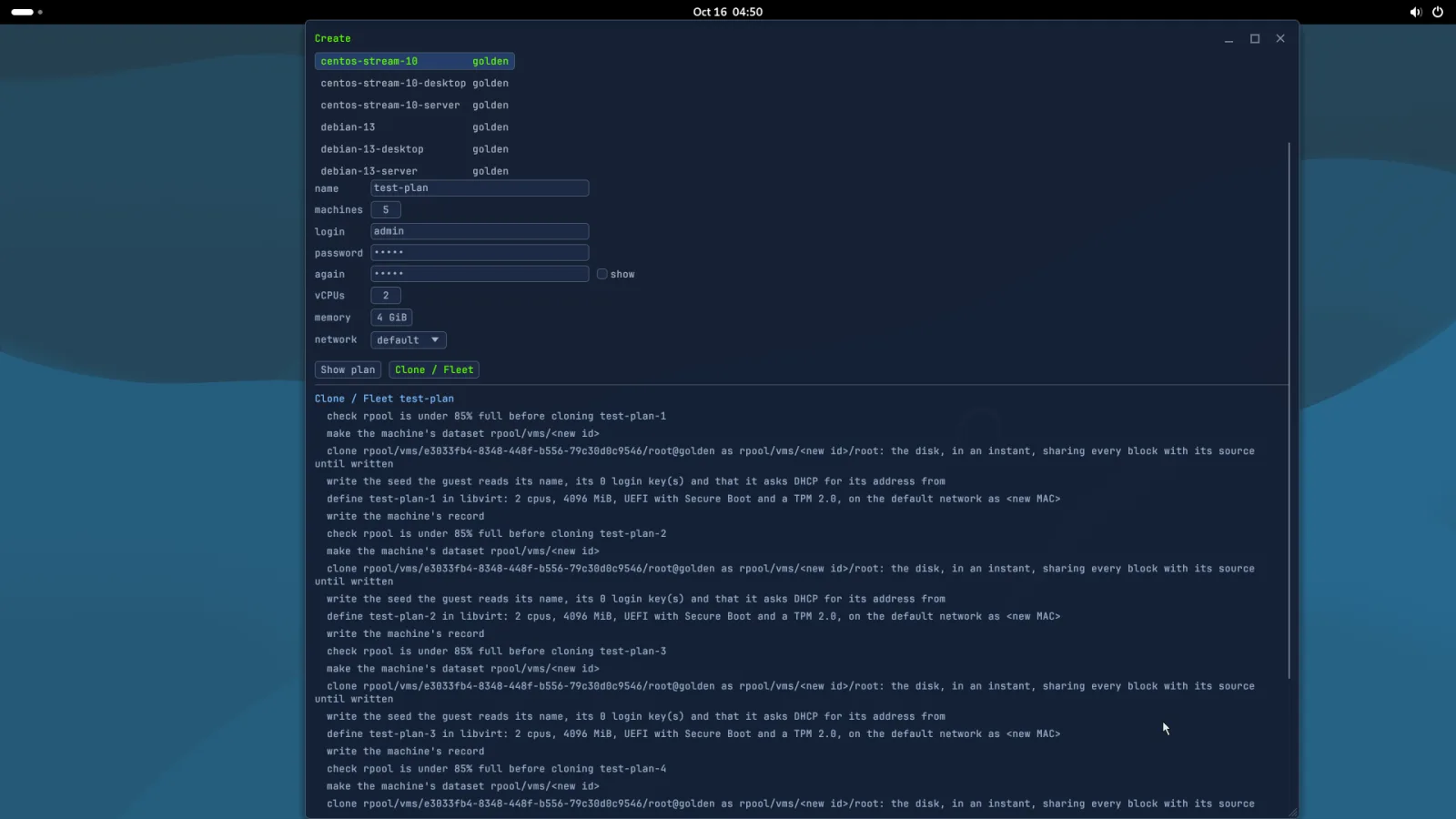
Each action is a plan: the exact steps, what each one is for, and what it destroys. Nothing is touched until you run it, a failed step undoes the ones before it, and the desktop asks Yes or No before it removes a machine.
Clone web-02 from debian-13
- check rpool is under 85% full before cloning web-02
- make the machine's dataset rpool/vms/<new id>
- clone rpool/vms/debian-13/root@golden as rpool/vms/<new id>/root: the disk, in an instant, sharing every block with its source until written
- write the seed the guest reads its name, its 1 login key(s) and that it asks DHCP for its address from
- define web-02 in libvirt: 2 cpus, 4096 MiB, UEFI with Secure Boot and a TPM 2.0, on the default network as <new MAC>
- write the machine's record
Remove web-02
- ask web-02 to shut down, wait up to 1m30s, then stop it
- remove web-02 from libvirt, with its NVRAM
- destroy rpool/vms/7c1e94b2-5d0a-4f6e-9b3c-2e8a61f0d415 and every disk under it
- remove the seed, the TPM's state, the screen and serial sockets, and the record
An upgrade you can undo
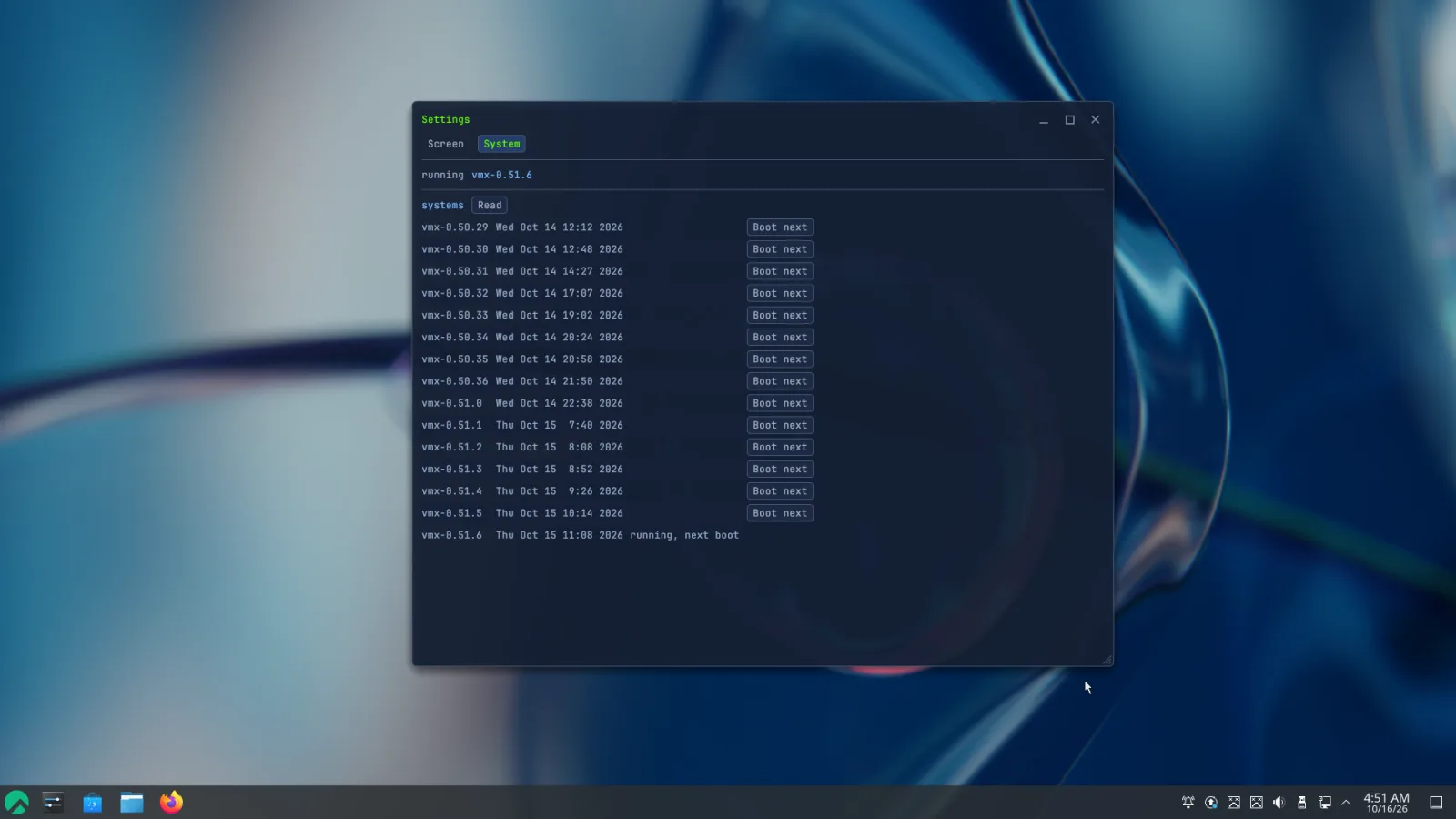
The system is three ZFS layers. An upgrade boots a new middle one; if it doesn't come up healthy, the machine goes back by itself, and going back by hand is one reboot. Your machines, your home folder and your settings never move. There is no such thing as a bricked apt or dnf upgrade here: no package manager ever runs on the appliance; the whole system is swapped for a new one, and the old ones stay: you can go back to any of the last five releases, any time, with a single reboot. Try to brick it with an upgrade: I bet you can't.
What the others do instead
Boot environments are a feature most hypervisors overlook: they bolt ZFS on as one storage choice among several, so the system itself never gets to stand on it. Zettarack runs on nothing but ZFS, built on it from the ground up, and a boot environment for every release is what that buys.
How that compares, on what matters when an upgrade goes wrong:
| Zettarack vmx | Proxmox VE | TrueNAS | |
|---|---|---|---|
| How an upgrade lands | A new boot environment, cloned from a signed, read-only image. The running system is not touched. | apt, in place, on the system you are running. | A new boot environment on the boot pool. |
| The new system does not boot | The boot menu goes back to the one before by itself: a new one gets one try. | Pick an older kernel at the boot menu, if one is still installed; otherwise a rescue ISO and a chroot, or reinstall the node and restore every machine from its backups. | Pick the previous boot environment at the boot menu, by hand. |
| It boots, but is not healthy | Its own health check, five minutes in, puts the machine back, and that release is never installed on its own again. | Nothing automatic: you find out, and repair it. | Nothing automatic: you activate the previous environment and reboot. |
| Going back on purpose | One command, one reboot, to any of the last five. | Not supported: a ZFS snapshot of the root you took beforehand, rolled back from a live system. | Activate an earlier environment, reboot. |
| Your machines and settings | Outside every boot environment, on datasets of their own: never moved, never rolled back with the system. | The cluster configuration lives on the root filesystem, so a root rollback takes it along. | Boot environments cover the boot pool only; pools and apps are separate. |
| The box itself is lost | bootmass puts vmx on another box in minutes, from a stick or over the network; each machine comes back from its backup as it was. | Reinstall the node, then restore every machine from its backups. | Reinstall, upload the saved configuration, import the pools. |
| A package manager on the host | None. Nothing is ever installed; an unlock exists, and marks the machine. | apt, as on any Debian. | apt, off by default. |
Proxmox VE and TrueNAS are their owners' marks. What is said of them is from their own documentation and support forums, as of October 2026.
Every machine on one screen
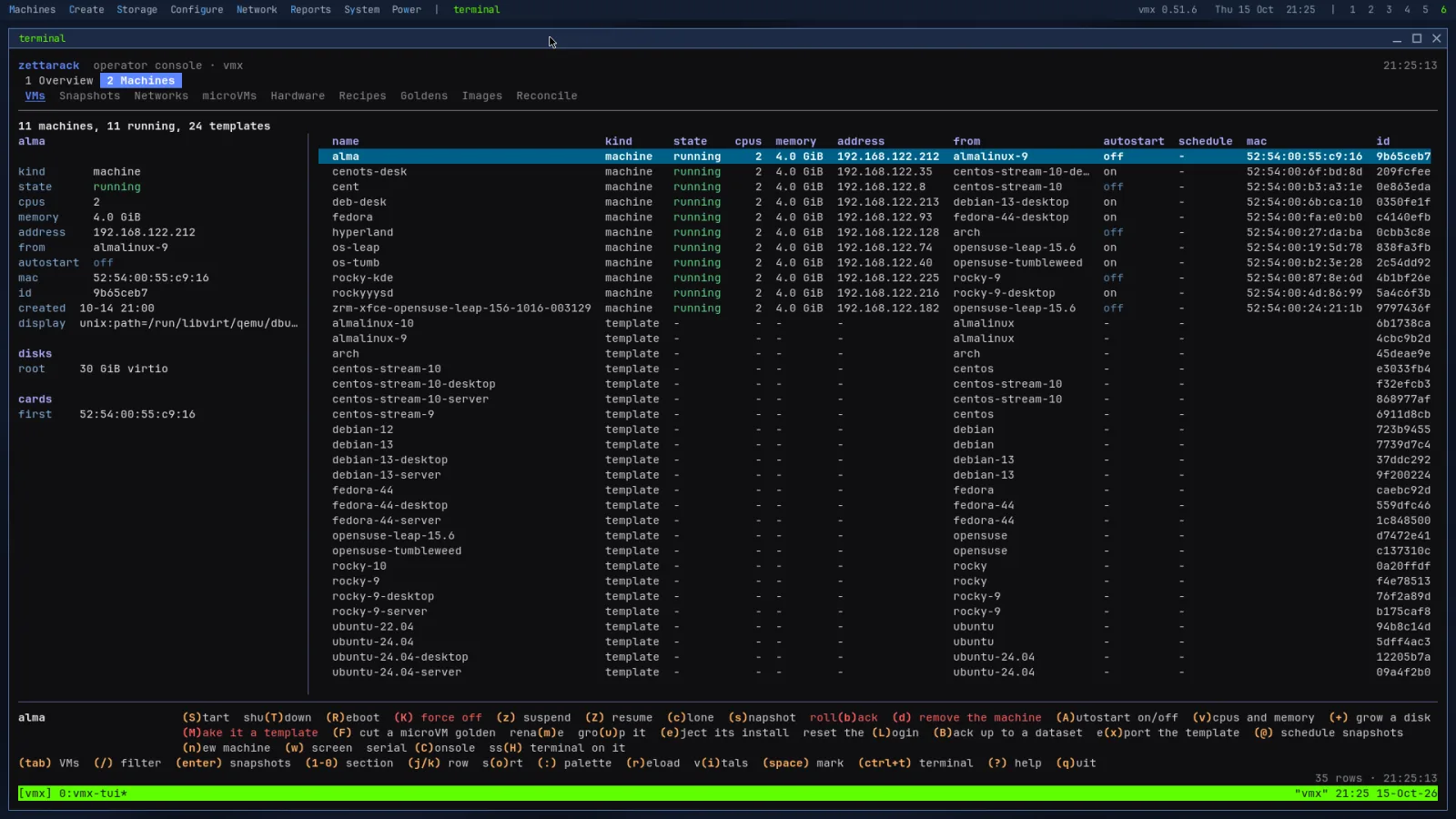
Desktop 5 is the console: every machine with its state, size, address and where it came from, the chosen one's details beside it, and a key for every verb in the line under them. Mark several with Space and act on all of them at once. The same machines are on the wall, Super+Tab, every screen live, and in the fly-through, a tap of Super, one in front with its CPUs, memory and state and the rest either side.

Lightning fast, keyboard driven
The console is a TUI in a terminal: every machine, snapshot, network, microVM, card, app, golden and image, a tab each, and a key for every verb, named in the line under them.
Everything a machine needs
M-01Instant clones and fleets from golden templatesM-02Snapshots on a schedule, keeping the newest NM-03Backups that send only what changed, encrypted ones as they are; restore as it wasM-04Add disks, grow disks, change CPUs and memoryM-05UEFI, Secure Boot and a TPM on every machineM-06PCI and USB passthrough that refuses the GPU the host booted on, its pool's controller and NICs in useM-07Firecracker microVMs, each jailed under its own userM-08NAT, LAN bridges, VLANs, bonds, extra NICs, port forwards and a firewall per machineM-09Start order and delay at boot; at shutdown, the reverse, every guest cleanlyM-10Reset a login through the guest agent; only a hash reaches the guestM-11A UPS on USB or a NUT server: at low battery the machines go down in order, then the hostM-12Events for what went wrong unseen, on the bar and pushed to ntfy, Gotify, Discord or any JSON hookM-13Containers from any registry, each in a microVM of its own, with volumes kept across restarts and ports led from the hostM-14Installs from a USB stick or over the network in minutes: ZFS on root, Secure Boot with its own signed boot chain, an encrypted root pool if you chooseM-15A doctor that names what is wrong and what to do; a health check where a test that did not run counts as failed, never as passedM-16One daemon behind the desktop, the text console and the vmx command, with an audit line for every change asked of itM-17Each machine's screen, sound and clipboard on your desktop; text crosses into a machine only when you pasteM-18A reconciler that finds ghost machines, orphan datasets and machines libvirt was given behind its back, and removes one by its typed name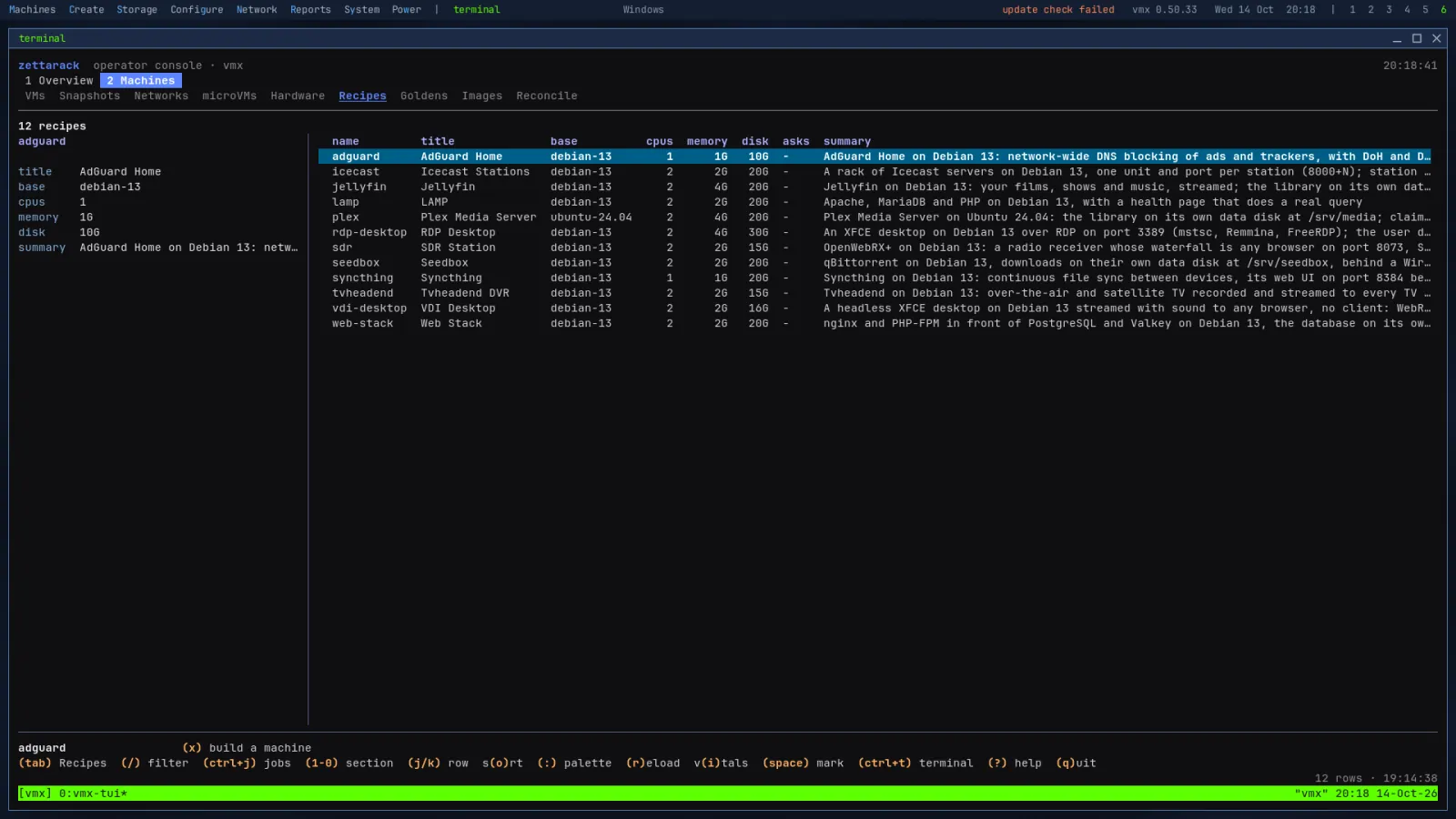
Native cloud image VMs, simple and fast
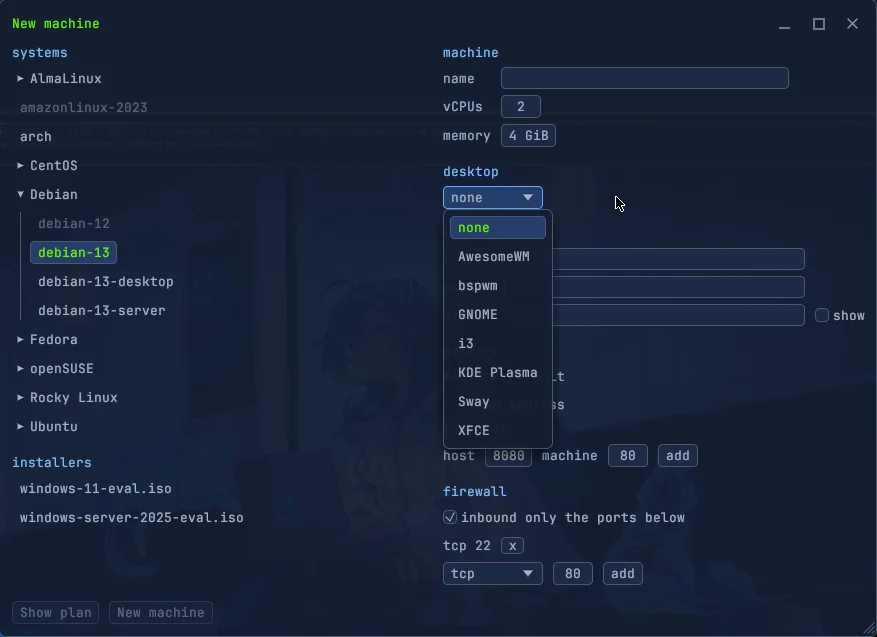
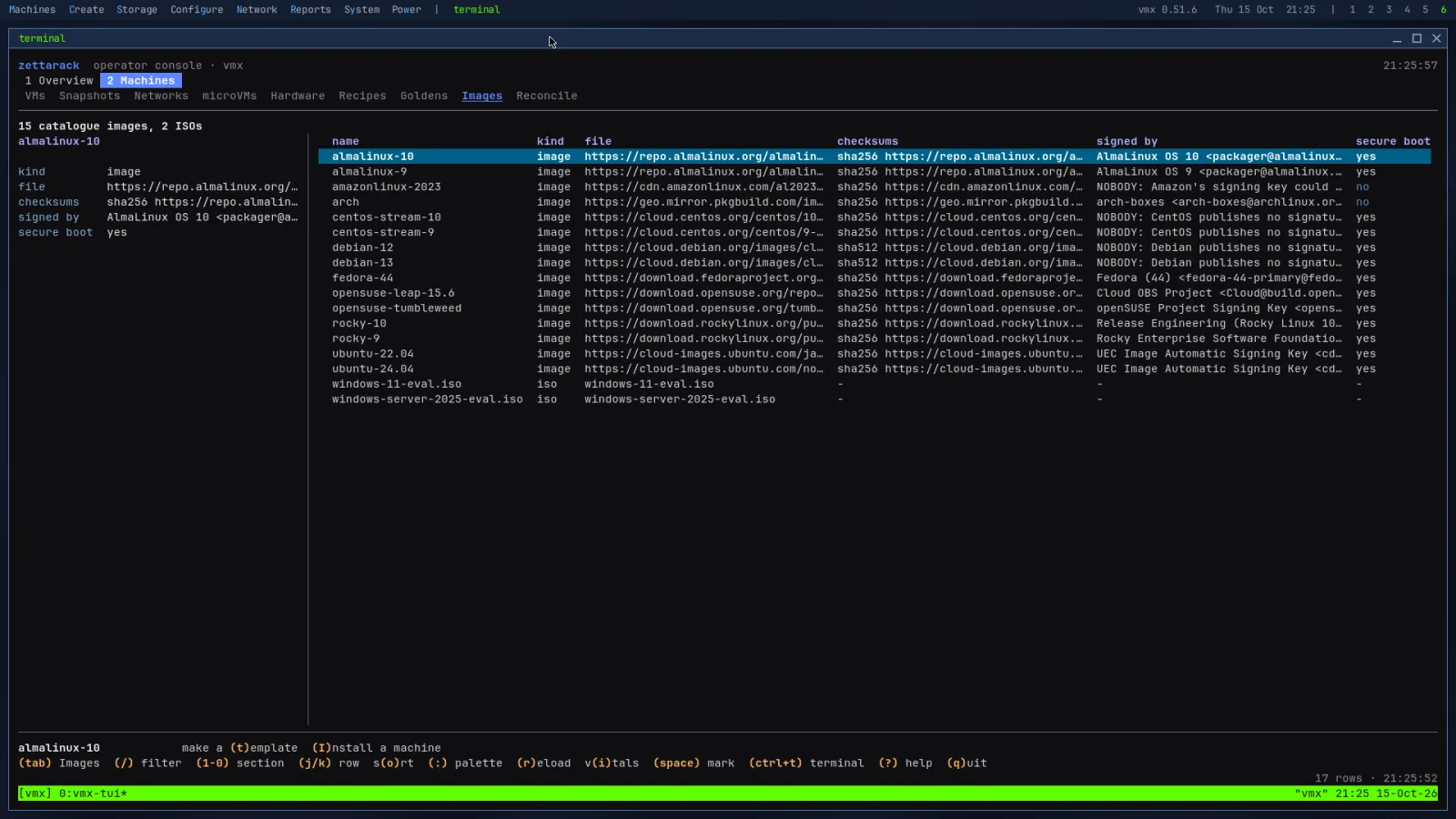
Fifteen cloud images, the vendors' own, fetched and checked against their published digests; ten goldens built, proven and sealed for you (server and GNOME desktop on five distributions), Windows 11 and Server 2025 unattended from Microsoft's own ISO (10 and Server 2022 from their installer, the drivers alongside), and apps that are checked until they answer.
Small, and every action a key away
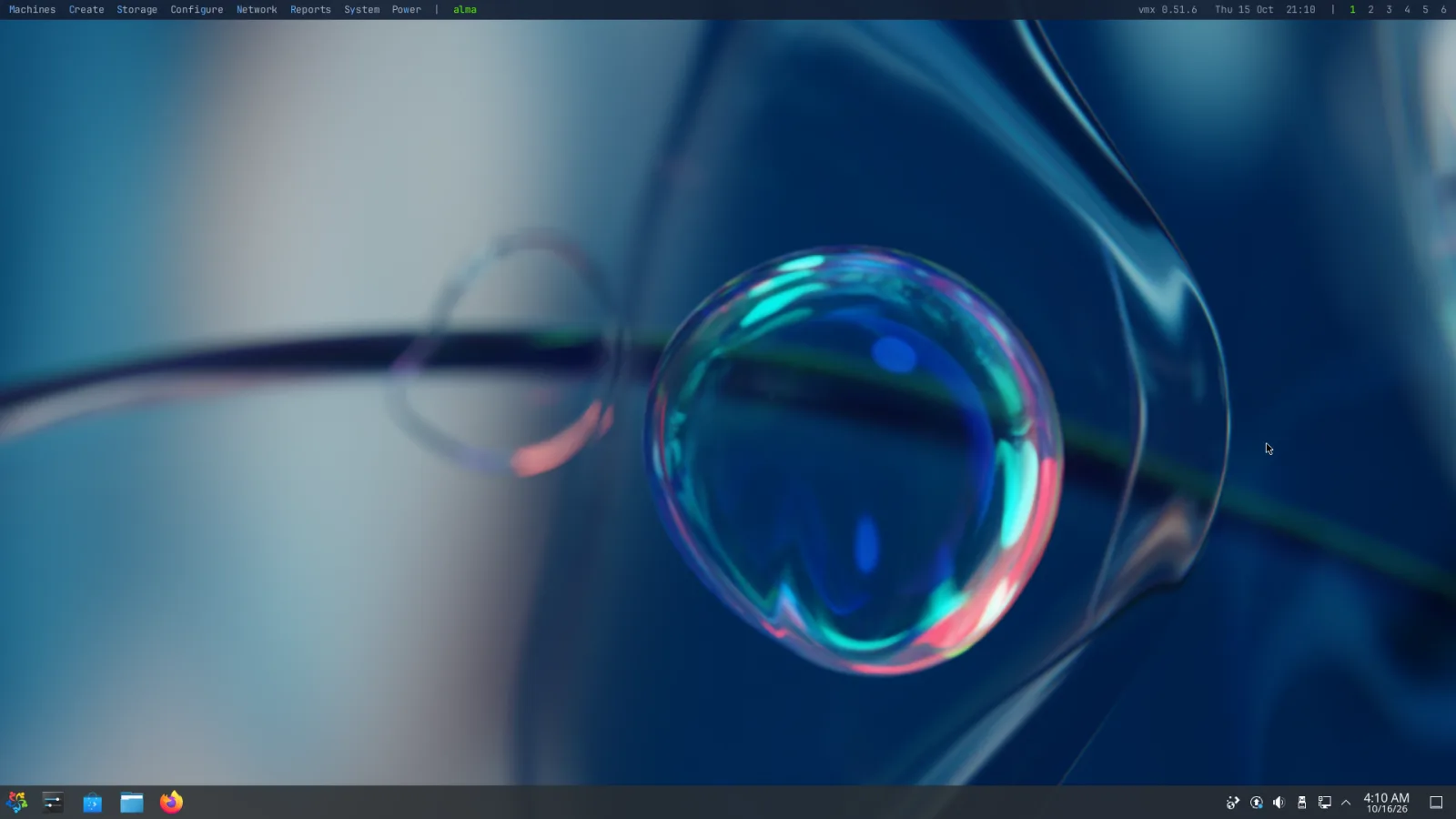
jewm is 20 MB, written in Rust: the compositor, the bar, menus and windows, the fly-through and the wall, the lock and the screensaver, and the VNC server that shows the whole screen anywhere. No X11, and no desktop under it. Built from the ground up to be small, light and simple.
Things you will actually do
Real commands, as typed on the bench; the desktop does the same from its menus, and shows the plan first.
vmx clone debian-13 web1 --ssh-key ~/.ssh/id_ed25519.pubA ZFS clone: it shares every block until it writes, and runs 1.2 s after start.vmx snapshot web1 before-upgrade
vmx rollback web1 before-upgradeAn instant to go back to, disks and all.vmx schedule web1 --every 1h --keep 24Snapshots that take and prune themselves.vmx backup web1 --to tank/backups
vmx restore web1 --from tank/backupsThe first sends the machine, the rest only what changed; restore puts it back as it was.vmx build desk1 --base debian-13 --desktop kdeKDE on Debian, its user logged in on its screen.vmx windows win11 --edition 11 --login opsFrom Microsoft's ISO, virtio drivers during setup, TPM and Secure Boot on.vmx build media --recipe jellyfinBuilt from a recipe and asked until it serves.vmx pci give media1 0a:00.0 0a:00.1The card and its audio, the whole IOMMU group; the boot GPU is refused.vmx container run docker.io/library/nginx:alpine web --port 8080:80 --volume web:/usr/share/nginx/htmlFrom any registry, a volume kept, a port from the host. No Docker on the host.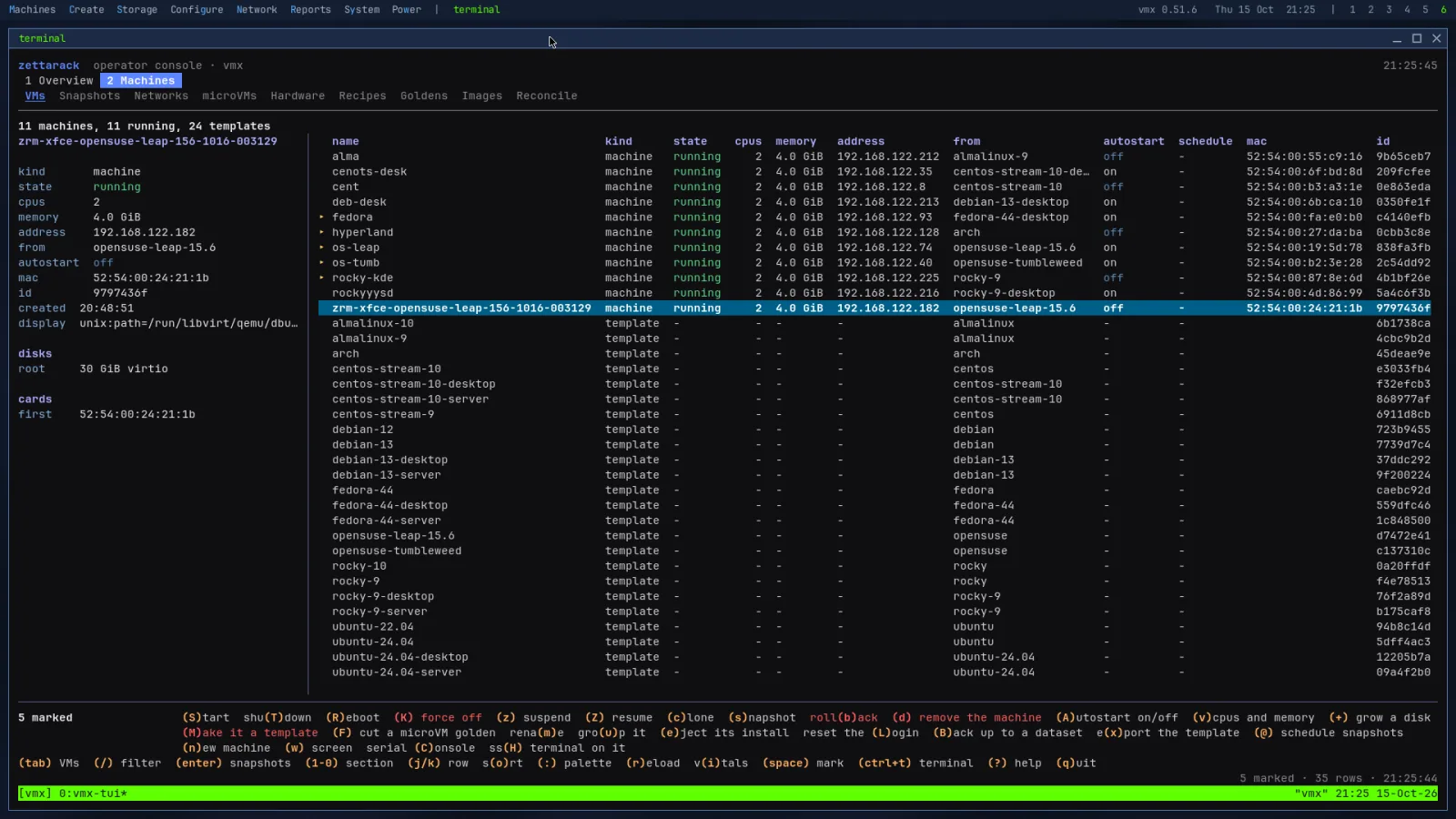
Straight from the bench
The clone from the last stop, as a vmx printed it: six steps, a tenth of a second, and a disk of 8 KB against 435 MB shared.
vmx clone debian-13 db1 --address 10.0.0.20/24 --gateway 10.0.0.1 --dns 10.0.0.1Written into the seed the guest reads at first boot.vmx power db1 on --order 1
vmx power web1 on --order 2 --delay 20The database first, the web machine twenty seconds later; at shutdown the reverse.vmx export debian-13 --format qcow2qcow2, raw, vmdk, vhd, vhdx, vdi or ova, read back once written.vmx remove web1 --dry-runEvery change takes --dry-run: the steps and what they destroy, nothing touched.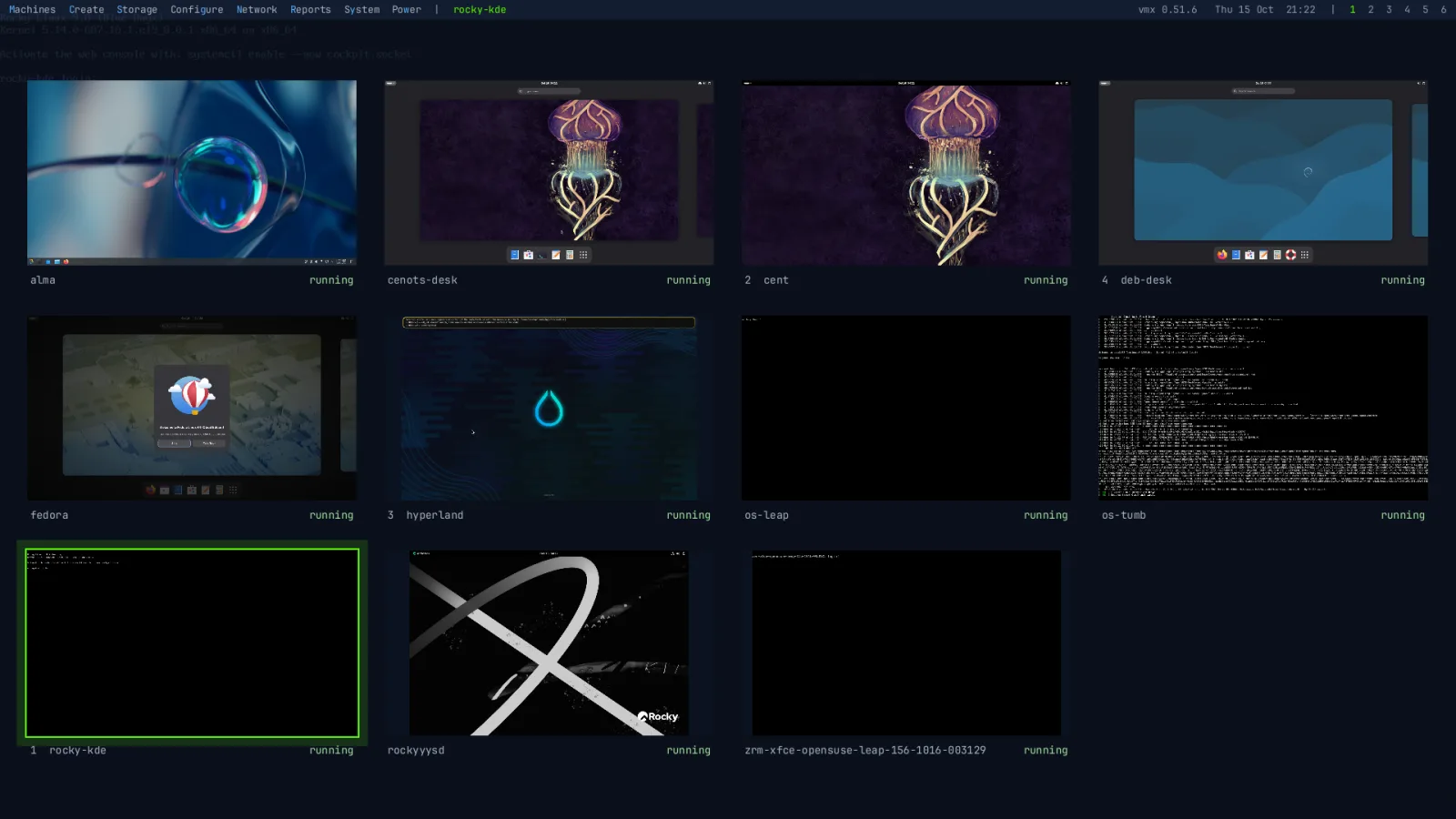
Get one on your desk
Download
LTS · kernel 6.12 · OpenZFS 2.3 · fixes only
vmx 0.54.0 · 891 MBBeta · kernel 7.2 · OpenZFS 2.4 · the new line, proven on the bench first
vmx 0.57.0 · 1.0 GBVerify
Each release comes with SHA256SUMS (beta's), its signature by the release key, and the key itself.
openssl pkeyutl -verify -pubin \
  -inkey release.pem -rawin \
  -in SHA256SUMS -sigfile SHA256SUMS.sig
sha256sum -c SHA256SUMS --ignore-missing
Write to USB
sudo dd if=zettarack-vmx-0.54.0.iso of=/dev/sdX \
  bs=4M status=progress conv=fsync
On Windows, use Rufus in DD mode or balenaEtcher.
You'll need
- UEFI firmware
- Intel VT-x or AMD-V turned on
- A disk of 8 GiB or more for the system, and memory for your machines
- With Secure Boot on: confirm the certificates once in MokManager on the first boot; the password is vmx