Every pool on one screen.
One safe place for your files and backups: many drives working as one, snapshots that undo mistakes, copies to a second box, and a regular test that proves you can get your data back.
A lightning fast TUI, with an enhanced window manager. Every pool, drive, dataset and snapshot is a card you fly through, with a key for every verb, and the pool itself keeps every setting.
And storage only. No apps, containers or VMs run beside your data, and nothing is between you and the pool: the console is the box's own screen, the text console, and the zxp command.
01 · the poolThe pool is the configurationSnapshot policies, shares and replication rules are properties on the datasets they govern. Import the pool on another box and they come with it; zfs get shows every one.
02 · proofRestores proven, not assumedA drill writes a canary, carries it to the archive, and reads it back from a read-only clone there. A health check that cannot run counts as failed, never as passed.
03 · upgradesYou can't brick it with an upgradeEach release is a signed image, booted as a new environment beside the old one. If it doesn't come up healthy, the machine goes back by itself, and your pools never move.

Fly through your pools
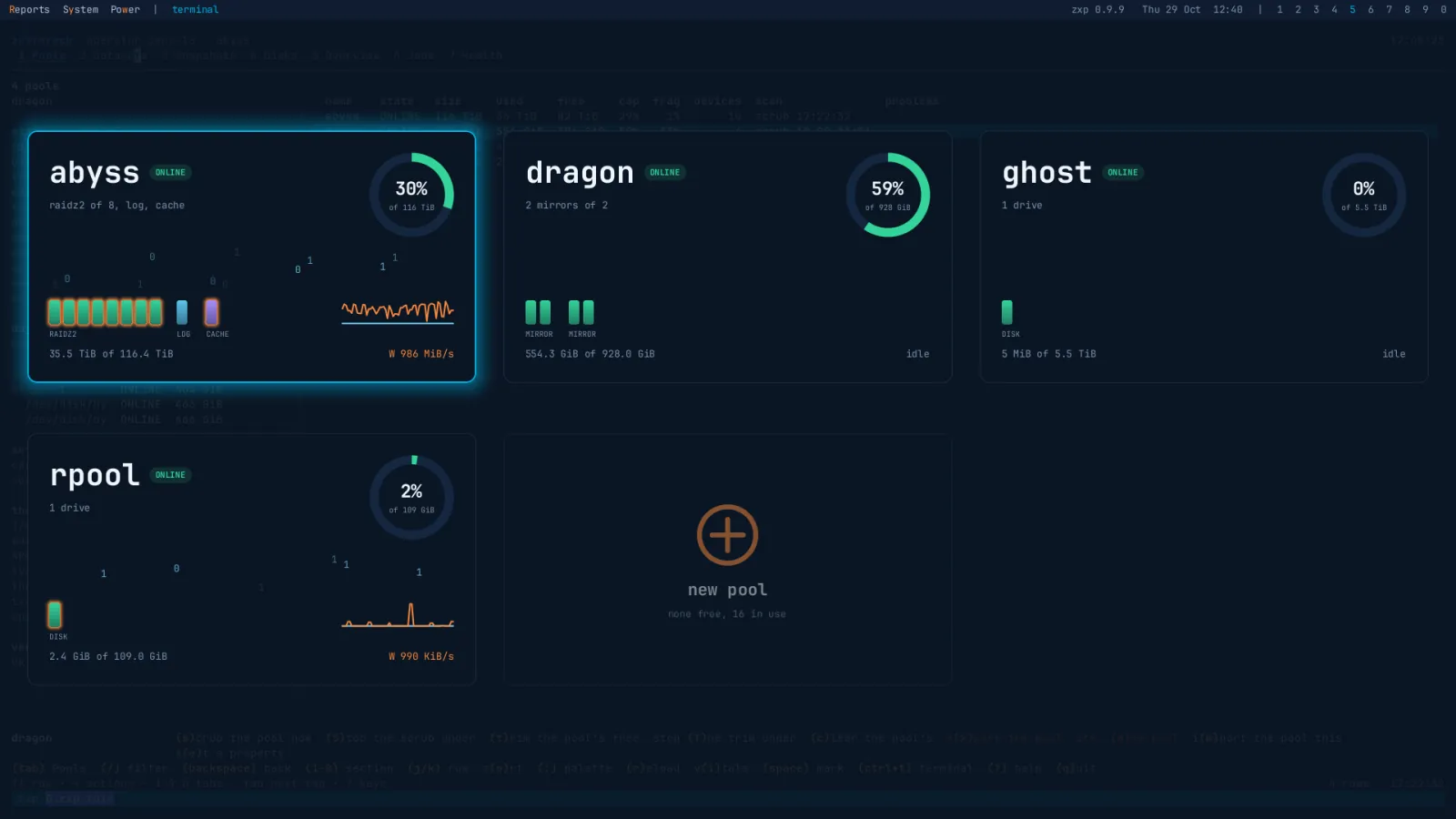
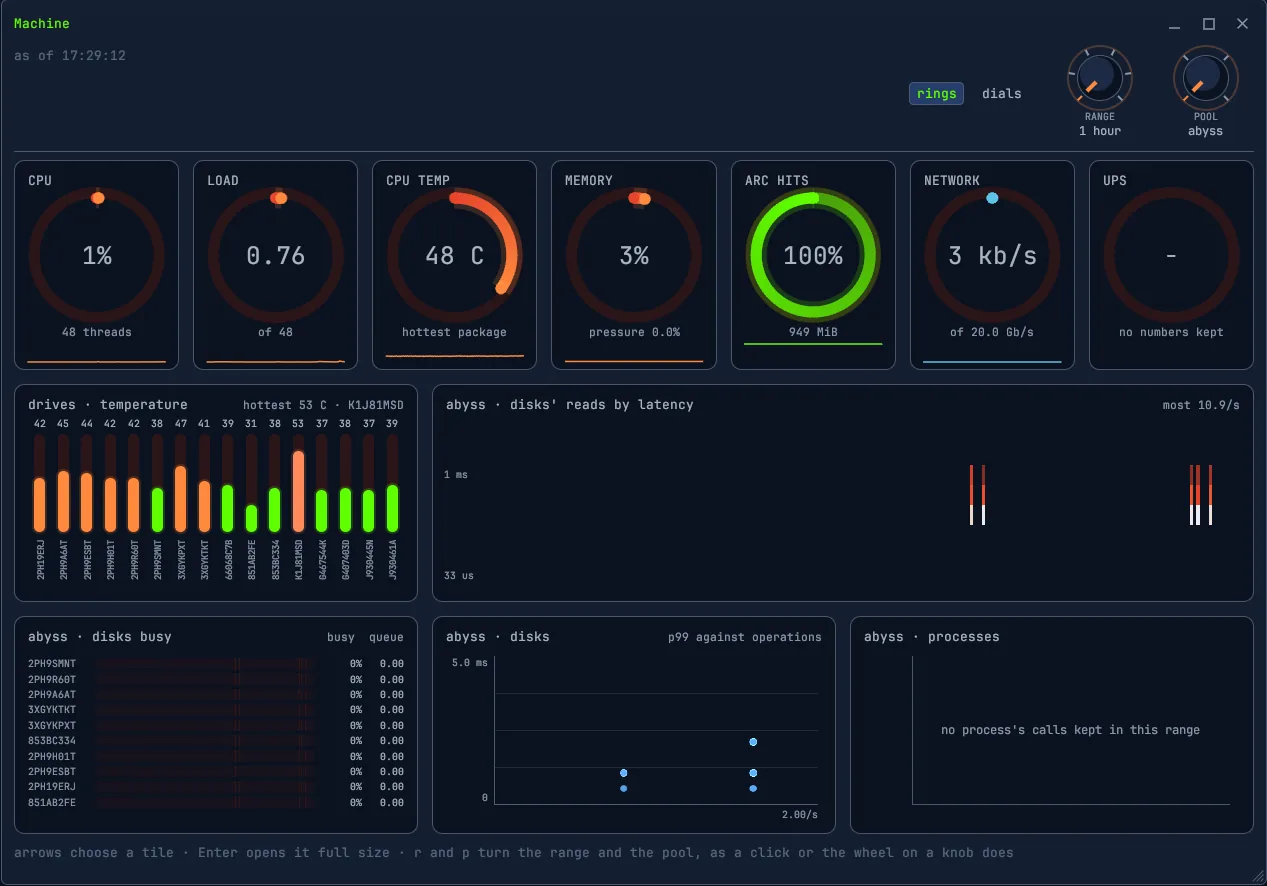
Tap Super and every pool is a card: its layout, a light for each drive, how full it is and what it is doing. Super+Tab lays them out as a wall, imported pools lit and the ones it could import dim, the system's own among them. Enter goes into a pool, Space opens its menu: scrub, trim, clear, export, or import.

In front, a pool is its last second: reads and writes, the waits, the ARC's hits, what reached the log device, whether writes were held back, how long transaction groups took to sync, and verdicts, the worst first.
Every drive, by its serial
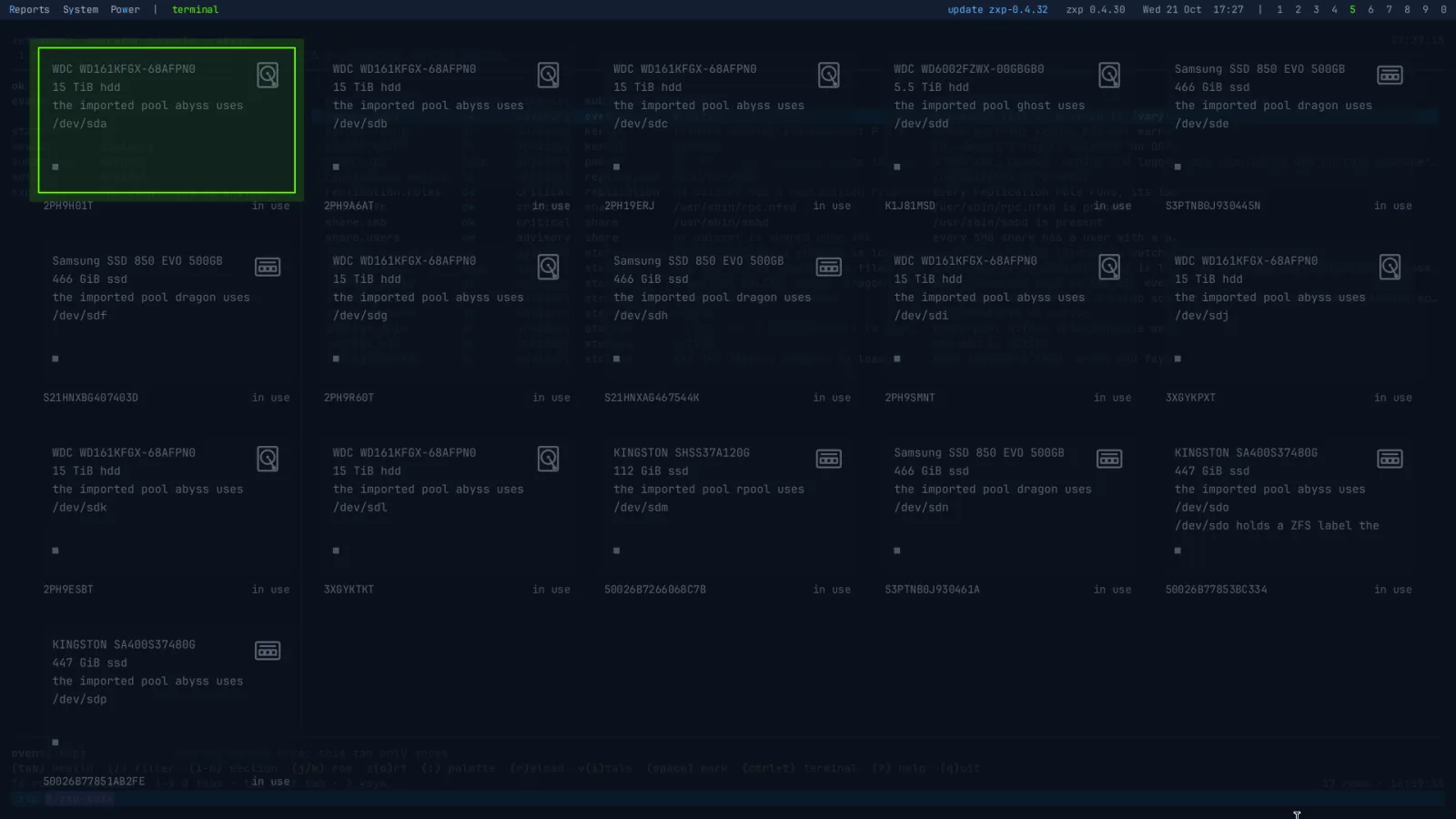
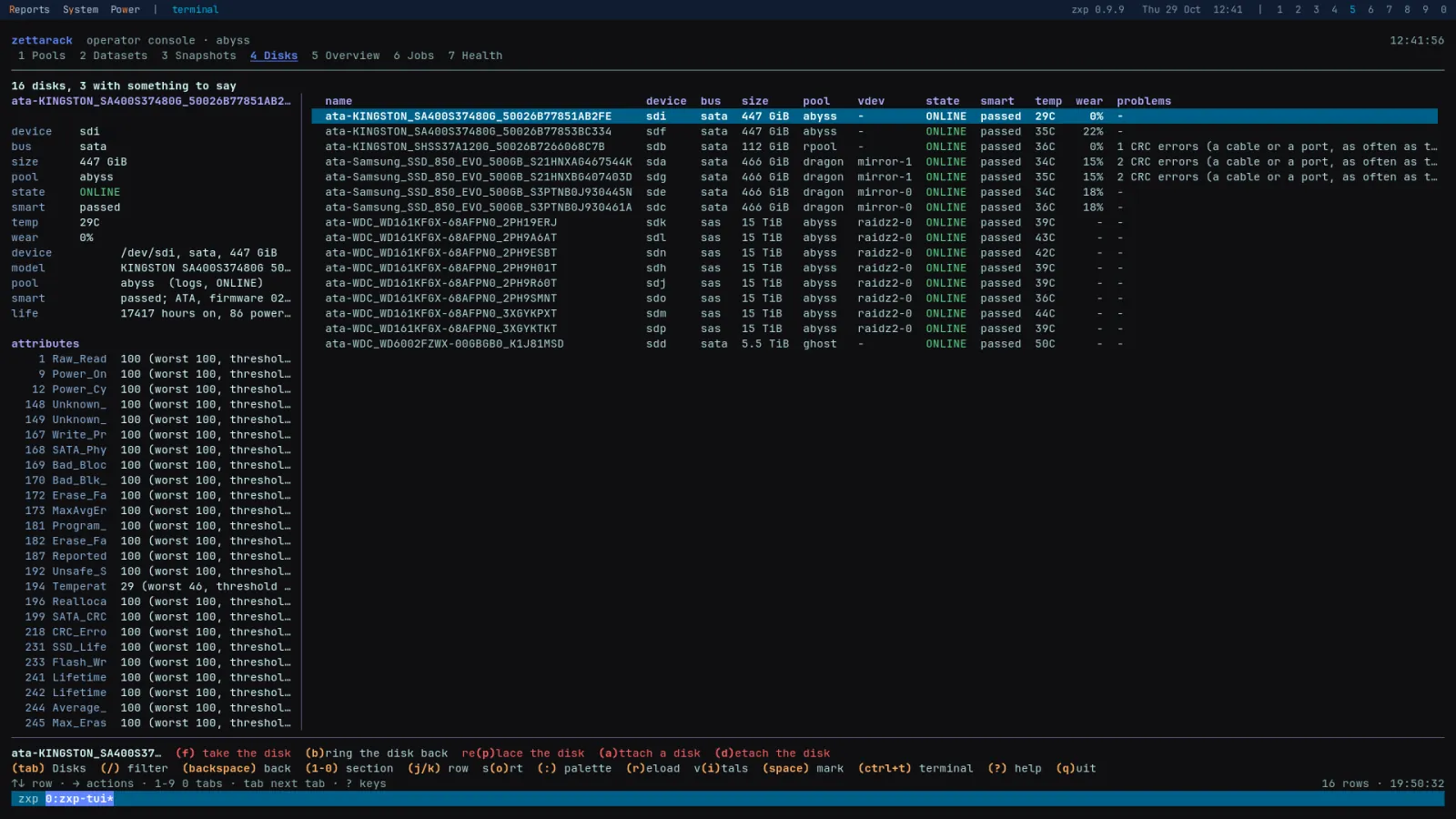
Each drive is named by its serial, with its model, size and place in the pool, its temperature and its hours, lit by its state and its SMART verdict. Its menu takes it offline, brings it back, or detaches it from a mirror. Long SMART tests run on a schedule per pool, a drive's test age read from its own power-on hours, and a sleeping drive is not woken to be read.

A disk that holds any part of a pool is never offered to a new one, imported or not. A new pool is made from a design in zpool's own words, and its verdict comes first: what it yields, how many disks it survives, and the warnings an experienced operator would give.
Snapshots that keep themselves
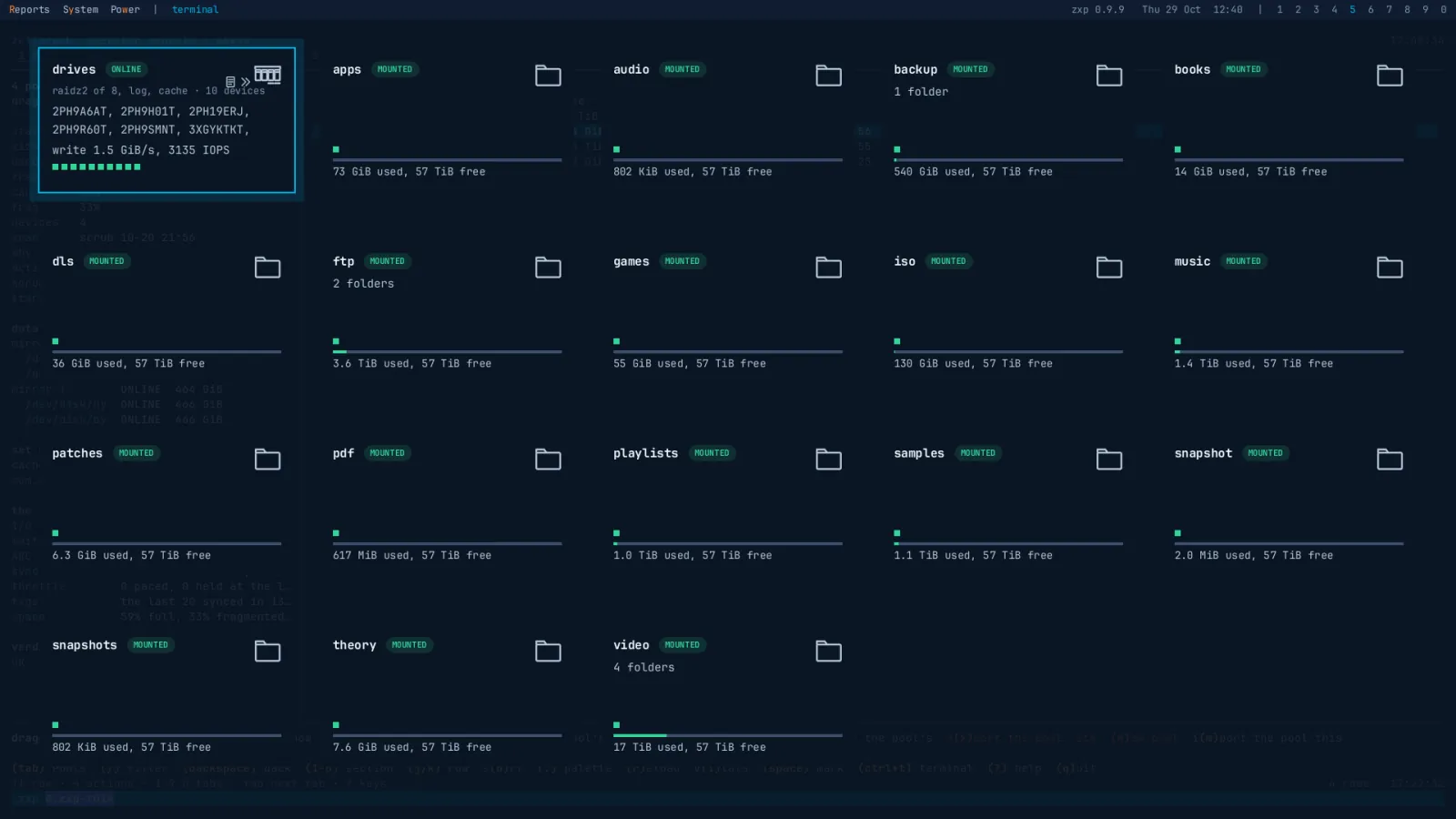
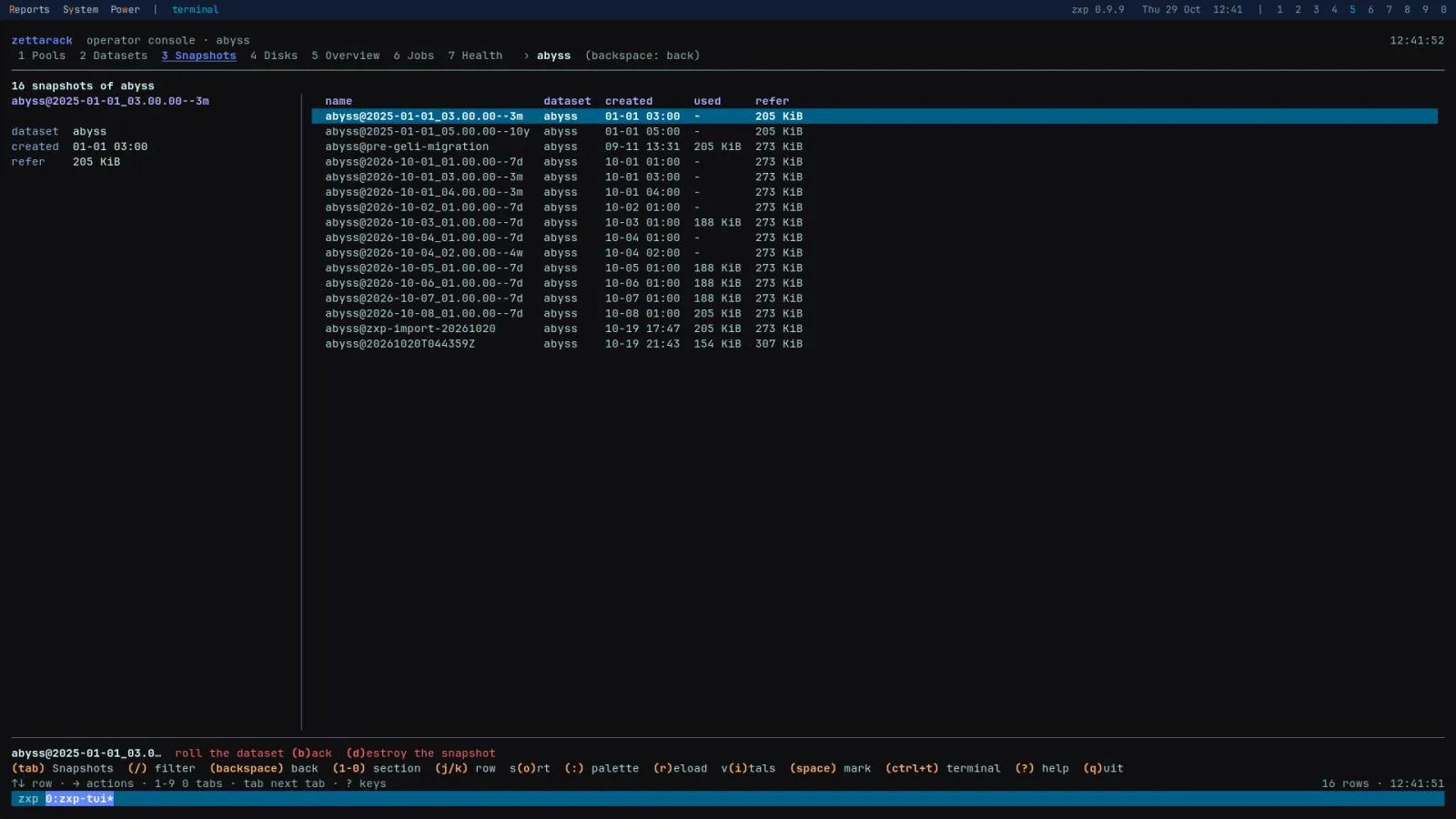
Every dataset is a card, and in front it shows every setting and where each one came from. A snapshot policy is one property, hourly=24,daily=7 say, kept by everything under it; pruning touches only the snapshots the policy made, never a held or a cloned one, and rollback is refused while newer snapshots stand.

A backup is a restore you tested
Replication sends what changed since the newest snapshot both sides hold, matched by its GUID, not its name, and a bookmark keeps the chain alive after the snapshot is pruned. A cut transfer resumes. An encrypted dataset goes raw, its key staying home, and the plan says so before a byte moves. Copies land read-only, unmounted, and marked as replicas.
Then the drill proves it: a canary is written at the source, snapshotted, carried to the archive, and read back from a read-only clone of the archive's copy. The clone goes, the result is an event, and either the chain works today or you know the step where it does not.
zxp peer-add vault 10.0.0.20Its host key is read, pinned and shown for you to compare; a changed key is refused from then on.zxp replicate tank/data \
backup/data --to vaultThe whole dataset the first time, what changed every time after.zxp drill tank/data \
backup/data --to vaultThe canary read back from the archive, not a transfer's status.Nothing passes by not running
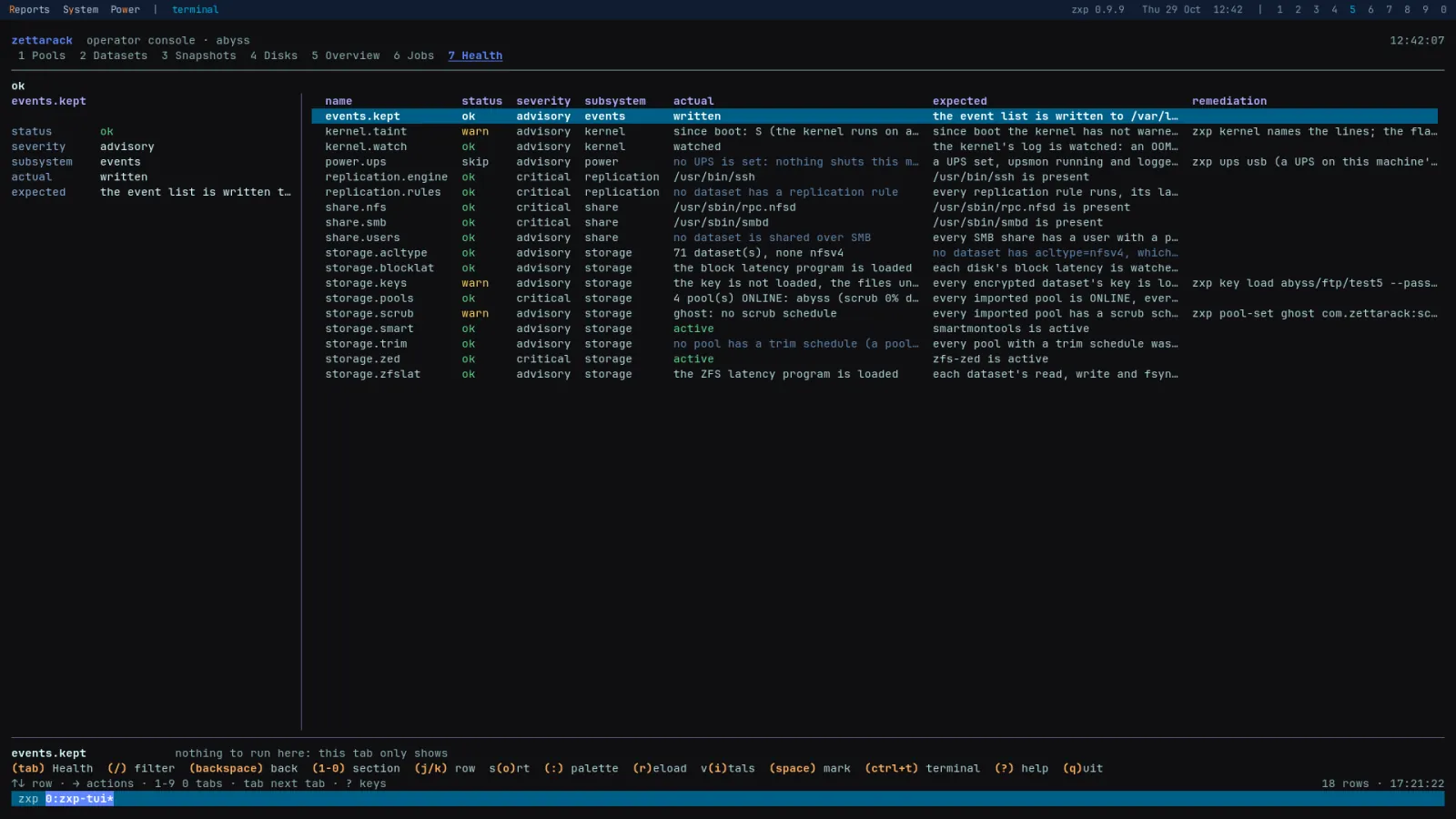
Every check has three outcomes: ok, failed, or did not run, and did not run counts as failed. The pools, the keys, the scrub and trim schedules, SMART, the share daemons, the replication rules and the UPS each say what they found, what they expected, and the command that puts it right.

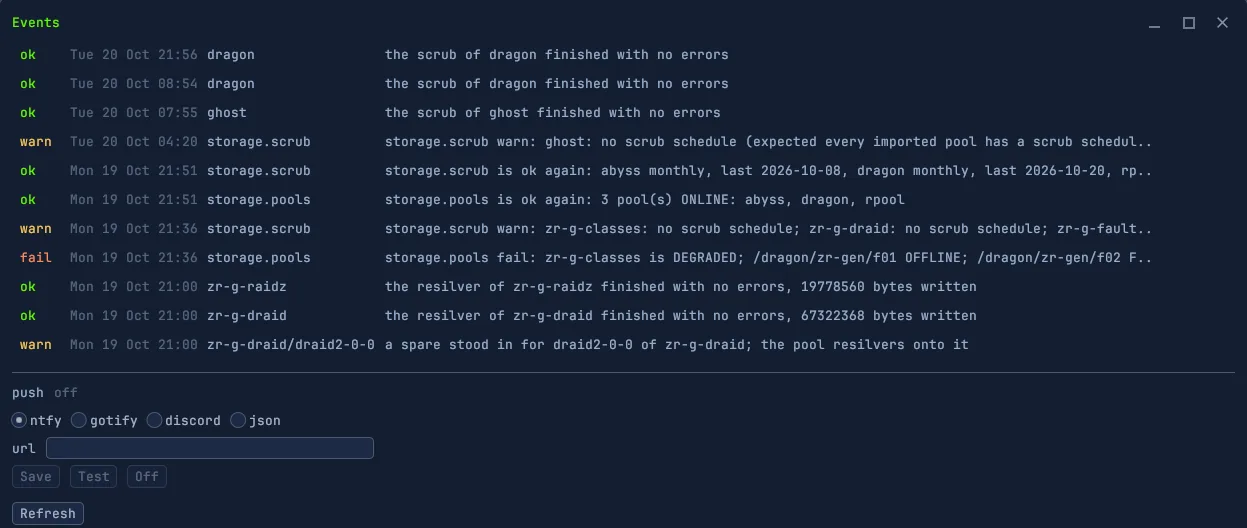
What went wrong while nobody was looking is an event: a scrub that finished, a pool that degraded, a spare that stood in. Events are counted on the bar, listed in the Events window, and pushed to ntfy, Gotify, Discord or any JSON hook if you like.
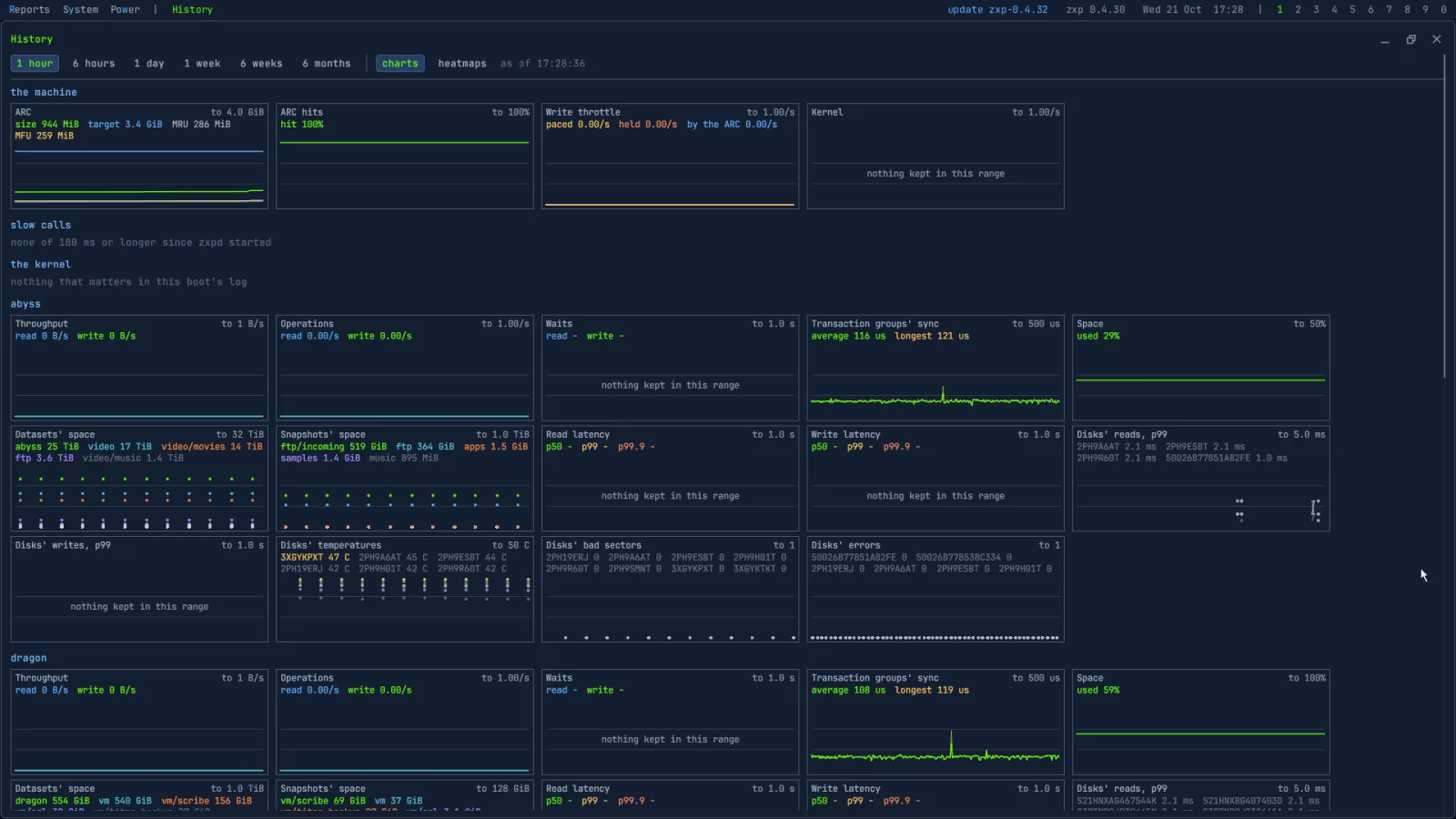
Every second the pools were busy
Every ten seconds zxpd keeps one second of each pool: latency histograms whole, ZFS's own latency per dataset, the I/O each process made, the calls that were slow, and the kernel's log. SMART numbers, disk errors, scans and space are kept beside them. Two days in full, six weeks in five-minute steps.
Lightning fast, keyboard driven
The same storage in a terminal: pools, datasets, snapshots, disks, the overview, jobs and health, a tab each and a key for every verb, named in the line under them. On the box or over ssh.

An upgrade you can undo
The system is three ZFS layers. An upgrade boots a new middle one; if it doesn't come up healthy, the machine goes back by itself, and going back by hand is one reboot. Your pools, your settings and your users never move, and nothing ever upgrades a pool's features. No package manager runs on the appliance: the whole system is swapped for a new one, and the old ones stay.
What a NAS does instead
Most storage appliances keep your settings in a database of their own, and have moved apps and VMs onto the box beside your data. zxp keeps the settings in the pool and keeps the box for storage. How that compares:
| Zettarack zxp | TrueNAS Community Edition 25.10 | |
|---|---|---|
| Where the settings live | On the datasets, as ZFS properties: an imported pool brings its snapshot policies, shares and replication rules with it. | In its own configuration database, carried across boot environments; changed through its web UI and API. |
| An upgrade that goes wrong | A new boot environment from a signed, read-only image; an unhealthy one is left by itself. | An image and a boot environment; going back is by hand. |
| Proving a restore | zxp drill: a canary read back from a read-only clone of the archive. | Not built in. |
| SMART long tests | On a schedule per pool, the test age read from each drive's own hours. | The SMART test scheduler was removed in 25.10. |
| Who is driving a pool | I/O by process, ZFS latency per dataset, slow calls named, six weeks kept. | Per-disk I/O, latency and temperature. |
| Beside your data | Nothing: storage only. | Docker apps and VMs. |
| Where you work | The box's own screen, the text console and the zxp command, over RDP or at the box; no web UI, on purpose. | Its web UI and its API. |
| Not yet in zxp | Directory services (local users only), iSCSI, NVMe over Fabrics, S3, high availability. | AD and LDAP, iSCSI and NVMe-oF; HA on its Enterprise hardware. |
TrueNAS is iXsystems' mark. What is said of it is from its own documentation and release notes, as of October 2026.
Everything a pool needs
M-01Pools from a design: mirrors, raidz1 to 3, special, log, cache and spares, the verdict firstM-02Import and export, never forced; nothing ever upgrades a pool's featuresM-03Snapshot policies inherited down the tree; pruning only what the policy madeM-04Rollback, clones and holds; rollback refused while newer snapshots standM-05Scrub, trim and SMART long tests on a schedule per poolM-06NFS and SMB from one property: root squashed, no guests, your own subnets onlyM-07Previous versions in Windows, from the policy's snapshotsM-08Replication by snapshot GUID, kept alive by bookmarks, resumed when cutM-09Encrypted datasets sent raw, their keys staying homeM-10Peers over ssh, each host key pinned at enrolment; replicas land read-onlyM-11The drill: a restore tested, its result an eventM-12Files: browse live and in snapshots, a file's versions, what changed between two pointsM-13Restore a file beside the live one or in its place; a trash with undo; permissions and ACLsM-14Keys loaded and unloaded, passphrases on stdin, never on a command lineM-15Every second the pools were busy: latency, I/O by process, slow calls, six weeks keptM-16A health check where a check that did not run counts as failedM-17Events on the bar, pushed to ntfy, Gotify, Discord or any JSON hookM-18One daemon behind the desktop, the text console and the zxp command, an audit line for every change
Things you will actually do
Real commands; the desktop does the same from its menus, and every change takes --dry-run.
zxp pool-create tank raidz2 ata-A ata-B \
  ata-C ata-D ata-E ata-F log nvme-X \
  --confirm tank
The verdict first; the pool's name typed again to erase the disks named.zxp set tank/data \
com.zettarack:snapshots=hourly=24,daily=7Snapshots that take and prune themselves, on everything under tank/data.zxp set tank/media com.zettarack:share=smb
zxp user-add anna --password-stdinThe password on stdin, never on the command line.zxp versions tank/data docs/plan.odtEvery copy across the snapshots, and whether it changed.Get one on your shelf
Download
LTS · kernel 6.12 · OpenZFS 2.3 · fixes only
zxp 0.6.0 · 857 MBBeta · kernel 7.2 · OpenZFS 2.4 · the new line, proven on the bench first
zxp 0.9.0 · 973 MBVerify
Each release comes with SHA256SUMS (beta's), its signature by the release key, and the key itself.
openssl pkeyutl -verify -pubin \
  -inkey release.pem -rawin \
  -in SHA256SUMS -sigfile SHA256SUMS.sig
sha256sum -c SHA256SUMS --ignore-missing
Write to USB
sudo dd if=zettarack-zxp-0.6.0.iso of=/dev/sdX \
  bs=4M status=progress conv=fsync
On Windows, use Rufus in DD mode or balenaEtcher.
You'll need
- UEFI firmware
- A disk of 8 GiB or more for the system, apart from your pool's disks
- Existing pools are found and left alone: a disk that holds part of one is never offered
- With Secure Boot on: confirm the certificates once in MokManager on the first boot; the password is zxp